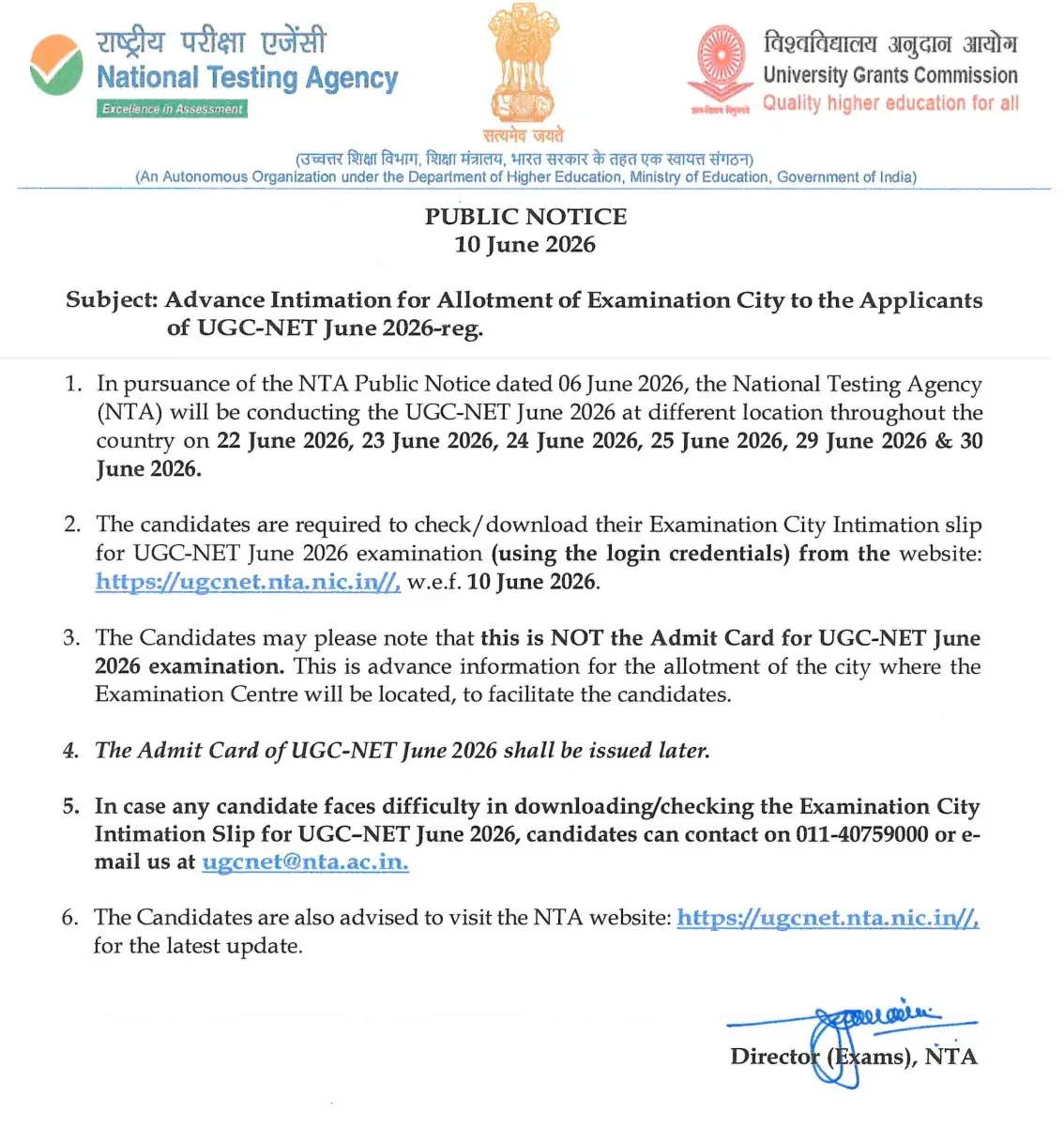
Aspirants preparing for the upcoming National Eligibility Test can now check their examination venue locations. The National Testing Agency (NTA) officially released the UGC NET City Intimation Slip 2026 for the June session on 10th June 2026. This advance intimation allows candidates to plan their travel and logistics ahead of the UGC NET Exam Date 2026.
The examination covers 87 subjects and is conducted in a Computer-Based Test (CBT) / Online format. As a premier national-level examination, UGC NET takes place twice annually to determine eligibility for Assistant Professor and Junior Research Fellowship (JRF) roles in Indian universities and colleges. The exams are officially scheduled to be held from 22nd to 30th June 2026.
UGC NET City Intimation 2026 Overview
Review the essential highlights of the June 2026 examination cycle below:
| UGC NET City Intimation 2026- Overview | UGC NET City Intimation 2026- Overview |
| Organization | National Test Agency (NTA) |
| Exam Name | University Grants Commission National Eligibility Test (UGC NET) |
| Number of Subjects | 87 |
| Mode of City Intimation | Online |
| City Intimation Slip Release Date | 10th June 2026 |
| UGC NET Exam Date 2026 | 22nd to 30th June 2026 |
| Mode of Exam | Online (Computer-Based Test) |
| Details Required to Download | Application No. and Date of Birth |
| Official Website | www.ugcnet.nta.nic.in |
Quick Access Link:
UGC NET City Intimation Slip 2026 Direct Link - Download Now
How to Download the UGC NET Exam City Intimation Slip 2026?
To access your exam city allocation status seamlessly, follow these procedural steps:
- Visit the University Grants Commission National Eligibility Test official website, i.e., www.ugcnet.nta.nic.in.
- On the homepage of UGC NET, click on the link that reads “UGC NET June 2026: Click Here to Download City Intimation”.
- A new login page appears on the screen.
- Enter your login details, i.e., application number and date of birth.
- Fill the security pin as shown in the image and click on the submit tab.
- The UGC NET City Intimation 2026 appears on the system screen.
- Download and print the slip for future reference.
Details Mentioned on UGC NET Exam City Intimation 2026
Once you download the document, cross-verify all printed particulars to ensure accuracy:
- Candidate’s Name
- Application Number
- Roll Number
- Exam City
- Exam Date
- Exam Timing
- Reporting Timing
- Subject Name
- Gender
- Category
Frequently Asked Questions (FAQs)
Recommended Reads
- UGC NET City Intimation Slip 2026 Released: Direct Download Link & Exam Dates
- UGC NET June 2026: Complete Guide to Dates, Eligibility, Syllabus & Exam Pattern
- UGC NET June 2026 Admit Card Released: Download Hall Ticket & Exam Schedule
- UGC NET June 2026: Exam Dates, Schedule, Eligibility & Pattern
- UGC NET June 2026 Application Deadline Extended to May 23 | Apply Online Now
- UGC NET June 2026: Exam Dates, Eligibility & Essential Preparation Guide
Exam Photo & Signature Resizer (20KB - 50KB)
Resize passport photo & signature to 20-50KB with Name & Date of Photo (DOP) strip or combine them in 1-click.
Never miss another exam update!
Get the fastest exam results, recruitment news, and educational guides delivered directly to your phone.