The Railway Recruitment Board (RRB) has officially rolled out the application status evaluation for aspirants who applied under CEN No. 03/2025 (Paramedical Categories). With a total of 434 paramedical vacancies up for grabs, candidates can now verify whether their submissions have been cleared or declined. Important notification alerts regarding this update have already been dispatched directly to applicants' registered mobile numbers and email addresses.
To review your current standing and ensure you are ready for upcoming recruitment stages like the CBT, you can visit the official web portal Click to Check RRB Paramedical Application Status 2025 (Link Active). Additionally, candidates should align their preparation with the RRB Paramedical Syllabus and Exam Pattern 2025- Click to Check to maximize their scoring potential.
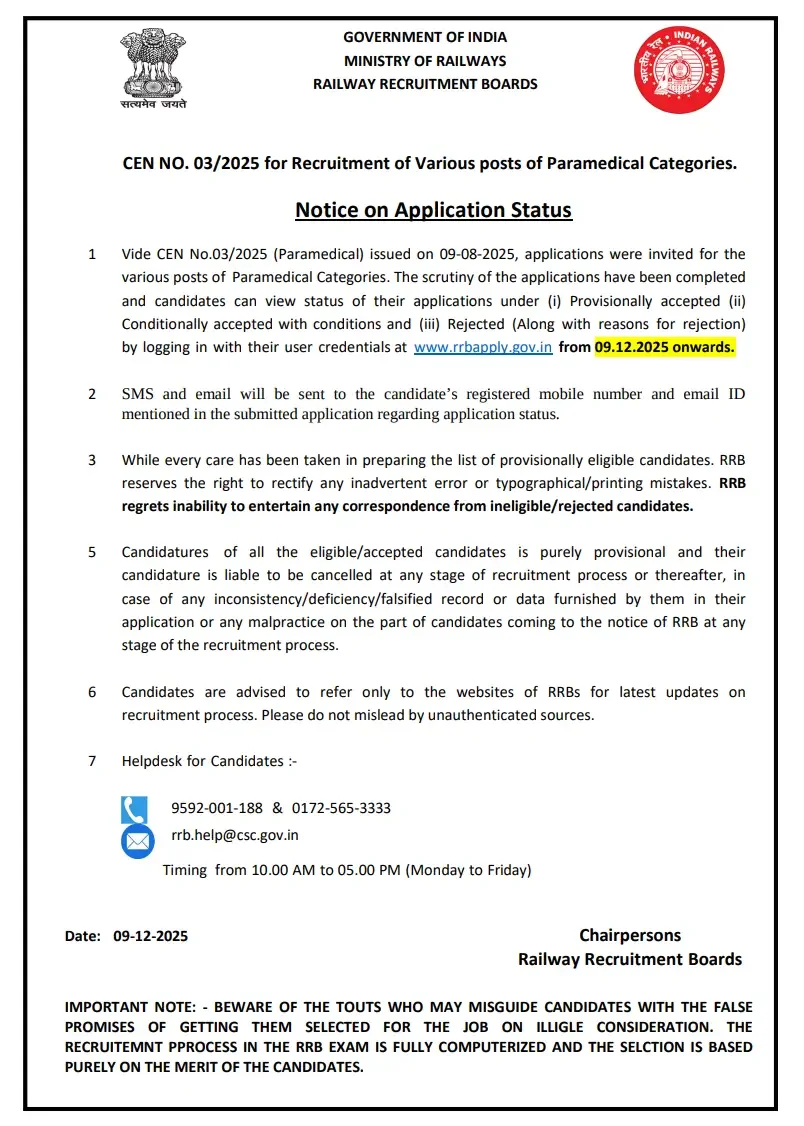
What is Informed Through the Application Status?
The status check provides crucial insight into your registration file. Here are the core categories you might encounter:
- Provisionally accepted- Whether the application is Provisionally Accepted, meaning it is found correct for now and the candidate can appear in the next stage (such as CBT), subject to final verification.
- Conditionally accepted (with some conditions)- Whether the application is Conditionally Accepted, which indicates the form is accepted but with certain conditions/remarks that may be verified later during document checking.
- Rejected- Whether the application is rejected, along with the reason for rejection
Steps to Check RRB Paramedical Application Status 2025
Follow this structured procedural guide to log into your account and view your status:
- Visit the official application portal: www.rrbapply.gov.in
- Click on the link for “CEN 03/2025 Paramedical – Application Status” if shown on the homepage/login page.
- Enter your User ID / Registration Number and Password / Date of Birth in the login fields.
- Fill the captcha/security code (if displayed) and click on the Login button.
- After login, check the screen for your Application Status – it will show whether your form is Provisionally Accepted, Conditionally Accepted, or Rejected with reasons.
- Take a screenshot or print of the status page for your records, especially if it is conditionally accepted or rejected.
Next Steps for Candidates
Once you have successfully checked your status, it is vital to plan your upcoming timeline. If your form is accepted, focus heavily on your test preparation. You can check your future performance markers and score evaluations later via the RRB Paramedical Result 2026- Click to Check and review answer verification guidelines through the RRB Paramedical Answer Key 2026- Click to Download page once they go live.
Frequently Asked Questions (FAQs)
Recommended Reads
- RRB Paramedical Recruitment 2026: 600 Vacancies, Eligibility, Exam Pattern & Apply Online
- RRB NTPC UG CBT 1 Result 2026 Declared: Check Scores, Cutoffs & Next Steps
- RRB Section Controller Application Status 2026: Check CEN 03/2026 Status
- RRB Group D Admit Card 2026 Released: Direct Link, Exam Dates & Timings
- RRB Group D Exam Analysis 2026: Shift Timings, Difficulty & Good Attempts
- RRB Group D Official Mock Test 2026 Activated: Check CBT Exam Pattern & Direct Link
Negative Marking & Net Score Calculator
Calculate your exact post-answer-key net marks after deducting 1/3rd or 1/4th negative penalty across SSC, UPSC, and State exams.
Never miss another exam update!
Get the fastest exam results, recruitment news, and educational guides delivered directly to your phone.