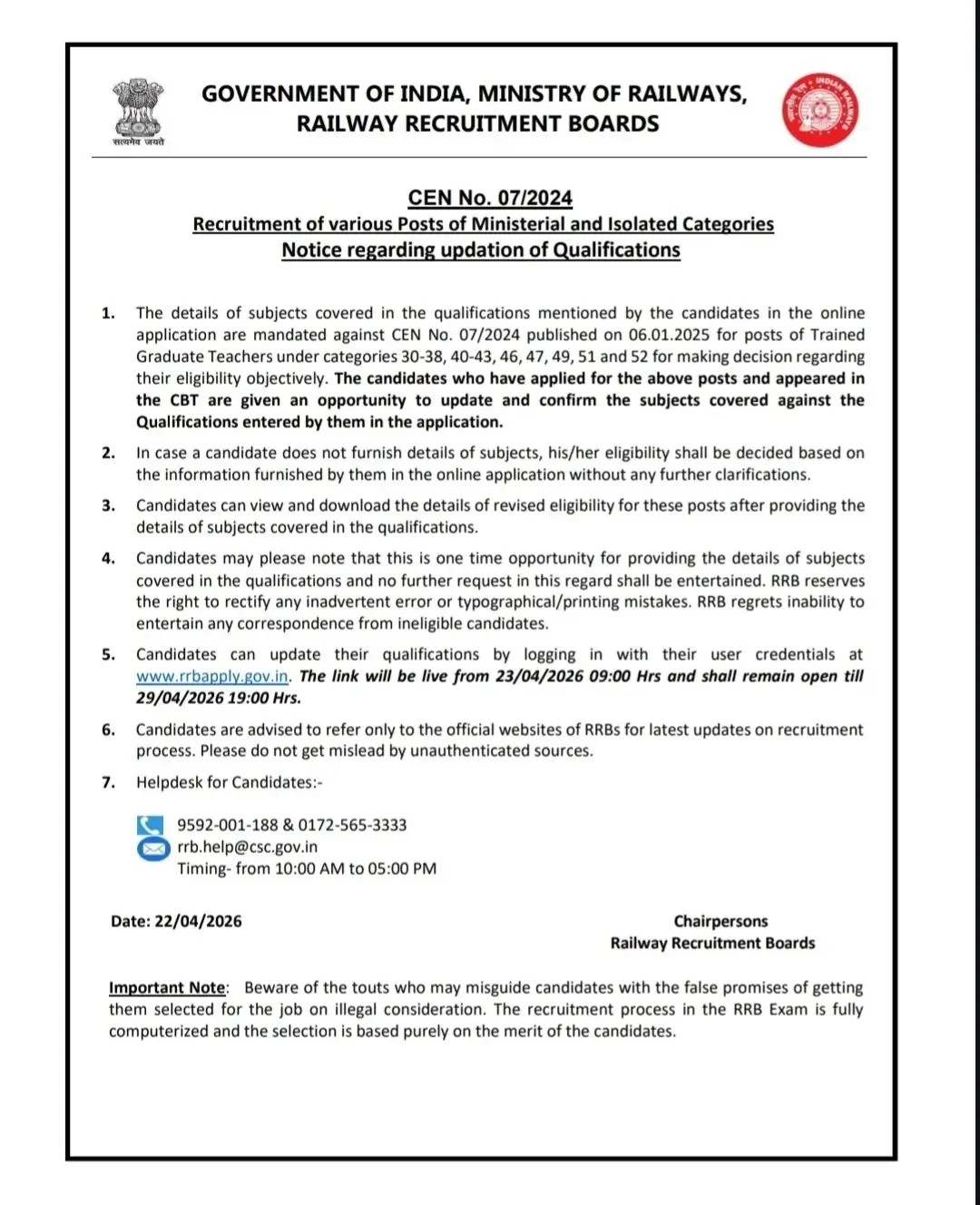
The Railway Recruitment Board (RRB) has officially announced a critical window for applicants of CEN 07/2024. If you applied for the Ministerial and Isolated Categories—specifically for the Trained Graduate Teachers role—you are required to update your qualification subject details to ensure your candidature remains valid. This is a one-time opportunity, and no extensions will be granted by the board.
Important Timeline for Qualification Updates
The portal for data submission goes live on April 23, 2026. It is vital to complete this process before the closing deadline. Failure to update these details means the RRB will evaluate your eligibility based solely on the information provided during your initial application.
| Activity | Timeline |
|---|---|
| Notice Release Date | 22nd April 2026 |
| Link Activation | 23/04/2026 at 09:00 am |
| Link Expiry | 29/04/2026 at 7:00 pm |
How to Update Your Qualification Details
Follow these steps carefully to ensure your records are updated correctly on the official RRB recruitment portal:
- Navigate to the official portal at www.rrbapply.gov.in.
- Log in using your existing registered user credentials.
- Locate the section to update your specific degree subject details as required for the post you applied for.
- Confirm the accuracy of the information entered and finalize the submission.
- Once submitted, view and download the revised eligibility status for your records.
Who Needs to Update?
This requirement applies specifically to candidates under the Ministerial and Isolated Categories (CEN 07/2024), particularly those belonging to the following categories: 30-38, 40-43, 46, 47, 49, 51, and 52.
RRB Helpdesk Contact Information
If you encounter technical issues during the update process, you can contact the RRB support team during their active hours (10:00 AM to 05:00 PM).
- Phone: 9592-001-188
- Phone: 0172-565-3333
- Email: [email protected]
- Support Hours: 10:00 AM to 05:00 PM
Next Steps for Candidates
After you have successfully updated your qualification subjects and downloaded your confirmation, monitor the official website regularly for further notifications regarding admit card releases and exam center details. Ensure your contact information remains active and keep your registration credentials secure for future login requirements.
Frequently Asked Questions (FAQs)
Recommended Reads
- RRB Ministerial & Isolated Categories Answer Key 2025: Check Official Responses & Raise Objections
- RRB Isolated Categories Admit Card 2026 Out - Download CEN 08/2025 Hall Ticket
- RRB Isolated Categories Recruitment 2026: Apply for 311 Vacancies
- RRB Isolated Categories Result 2026: Check CBT Scores & Cut Off Marks
- RRB Isolated Categories City Intimation Slip 2026 Released – Check Exam Date & Details
- RRB Ministerial and Isolated Categories Notification 2026: Vacancies, Exam Pattern & Syllabus
CGPA to Percentage Calculator
Convert your college 10-point CGPA or SGPA to equivalent percentage using official university multiplication formulas.
Never miss another exam update!
Get the fastest exam results, recruitment news, and educational guides delivered directly to your phone.