When learning about a computer, understanding how it interacts with the physical world is crucial. At the heart of computer operations are hardware components that allow users to communicate with the system and receive results in return. These components are broadly categorized into input peripherals and output units, each fulfilling unique roles in translating human-friendly instructions into machine language and vice versa.
Understanding Input Devices
Input devices allow users to send commands to the computer system to trigger specific actions. They convert human-friendly signals into a machine-friendly language and send signals to the Central Processing Unit (CPU) for execution. These peripherals assist the computer system in receiving data, functioning as the primary gateway for user instructions.
For a deep dive into specific components, you can explore more details on Input devices of computer.
Common Examples of Input Devices
Input hardware ranges from basic text entry tools to advanced optical scanners. Key examples include:
- Keyboard
- Mouse
- Joysticks
- Wii Remote
- Light Pen
- Game pad
- Microphone
- Webcam
- Scanner
- Digital camera
- Barcode Reader
- Portable Media Player
- Trackball
- Graphic Tablet
- Magnetic Ink Card Reader (MICR)
- Optical Character Reader (OCR)
- Digitizer
Key Input Peripherals Explained
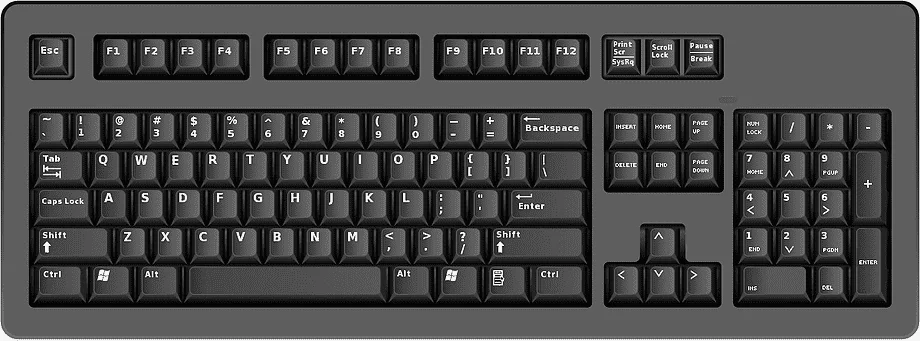
- Keyboard: A keyboard is the most fundamental input device used to input data via a series of keys.
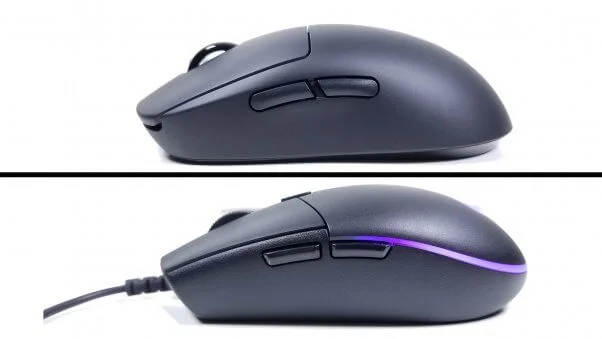
- Mouse: A mouse is a hand-held peripheral used to control cursor position on the display, featuring left/right buttons and a tracking sensor or ball. Notably, the computer mouse was invented by Douglas C. Engelbart in 1963.
- Joystick: Consists of a vertical stick mounted on a base, providing multi-directional control for video games, flight simulators, medical wheelchairs, and industrial machinery.
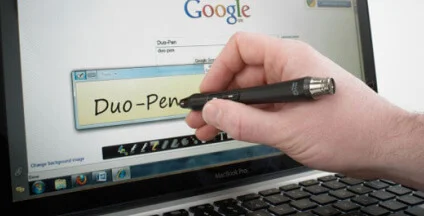
- Light Pen: A pointing device shaped like a stylus utilizing photocells to transmit coordinates and inputs, historically used with cathode ray tube (CRT) monitors.
- Microphone: Captures audio, converting analog sound waves and acoustic instructions into digital data/electrical signals.
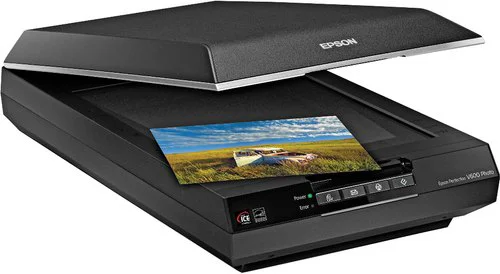
- Scanner: Digitizes physical documents (images or text) into electronic formats, functioning similarly to a photocopier.
- Barcode Reader: An optical input device that emits a light beam to interpret machine-readable codes on products and books.
| Keyboard | Mouse |
| Joysticks | Wii Remote |
| Light Pen | Game pad |
| Microphone | Webcam |
| Scanner | Digital camera |
| Barcode Reader | Portable Media Player |
| Trackball | Graphic Tablet |
| Magnetic Ink Card Reader (MICR) | Optical Character Reader (OCR) |
| Optical Character Reader (OCR) | Digitizer |
Understanding Output Devices
Output devices display the processed results or outcomes of instructions from the computer. They convert machine-friendly language to user-friendly language and send processed signals to the computer user, assisting the computer system in displaying data.
Learn more about secondary hardware outputs via output devices of computer.
Common Examples of Output Devices
- Monitor
- Speaker
- Printer
- Projector
- Plotter
- Braille Reader
- Television
- Global Positioning System
- Headphones
- Video Card
| Monitor | Speaker |
| Printer | Projector |
| Plotter | Braille Reader |
| Television | Global Positioning System |
| Headphones | Video Card |
Key Output Peripherals Explained
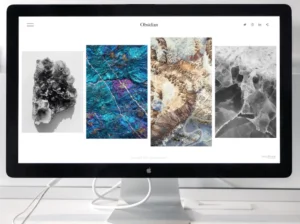
- Monitor: The primary output device used to display text, graphics, and video in real-time, evolving from CRT monitors to modern flat-panel displays.
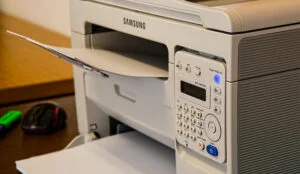
- Printer: Produces hard copies of digital documents or images on paper, with technologies including impact, line, inkjet, and laser printers.
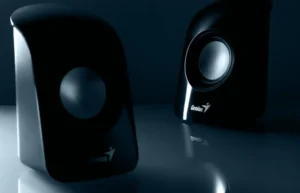
- Speaker: Translates electrical audio signals into sound waves, available in traditional wired or modern wireless (Bluetooth) options.
- Projector: An optical output device that projects visual content onto a large screen or wall for group viewing in auditoriums and theatres.
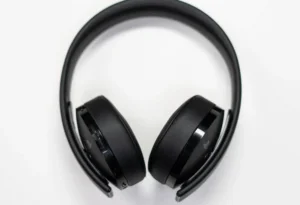
- Headphones: Operate like speakers but deliver sound directly and privately to the listener's ears.
Key Differences Between Input and Output Devices
To fully grasp computer architecture, it helps to review the core structural and functional differences between input and output hardware:
| Input Devices | Output Devices |
|---|---|
| Accept computer user’s data | Reflect computer user’s data |
| The computer users command them | The computer processors command them |
| Conversion of Human-friendly signals into a machine-friendly language | Conversion of machine-friendly language to user-friendly language |
| Send signals to the CPU for execution | Send processed signals to the computer user |
| Assist computer system in receiving data | Assist computer system in displaying data |
| It is complex in design comparatively | It is lesser complex in design |
| Example: Keyboard, Scanner, Mouse, etc. | Example: Monitor, Printers, Speaker, etc., |
What to Do Next
After reviewing the functions and differences of input and output peripherals, students and technical enthusiasts should test their knowledge by identifying these devices on their own workstations. Prepare for practical exams or hardware troubleshooting by studying the specifications of specialized input devices like Magnetic Ink Card Readers (MICR) and Optical Character Readers (OCR).
Frequently Asked Questions (FAQs)
Recommended Reads
- CIL MT Answer Key 2026: CBT Exam Solution PDF & Download Link
- Federal Bank Sales Officer Recruitment 2026: Apply Online for Corporate Salary Posts
- ADA Recruitment 2026: Apply for 111 Project Assistant Posts (ADV-139)
- CAIIB Exam 2026 Nov-Dec Cycle: Dates, Syllabus, Pattern & Centers
- IBPS PO Prelims 2026 Shift 2 Exam Analysis (22 Aug): Good Attempts & Review
- Complete 2026-27 Bank Exam Cycle Guide: Syllabus, Pattern Updates & Preparation
Exam Photo & Signature Resizer (20KB - 50KB)
Resize passport photo & signature to 20-50KB with Name & Date of Photo (DOP) strip or combine them in 1-click.
Never miss another exam update!
Get the fastest exam results, recruitment news, and educational guides delivered directly to your phone.